
https://chatgpt.com/g/g-TvymiClck-anki-obsidian-card-creator
https://github.com/ObsidianToAnki/Obsidian_to_Anki/wiki
If you’re an avid user of Anki for learning and Obsidian for note-taking, you’ll be excited to know about the Anki Obsidian Card Creator—a tool that integrates the strengths of both platforms, making the process of generating flashcards smoother than ever.
The Anki Obsidian Card Creator is designed to create learning cards effortlessly. Whether you’re working with large chunks of text, extracting information from images, or starting with a topic idea, this tool automates the creation of Anki-ready flashcards. It saves time and energy, allowing you to focus more on your learning process rather than formatting cards.
Here’s how the Anki Obsidian Card Creator makes your life easier:
- Text and Image Processing: You can input text directly, and it will generate questions and answers for your Anki deck. If you have an image containing important information, the tool uses Optical Character Recognition (OCR) to extract the text and create flashcards from it.
- Topic-Based Flashcards: Not sure where to start? Simply provide a topic, and the tool will research it for you, generating up to 25 questions on the subject. You can also ask for more flashcards whenever you need to expand your deck.
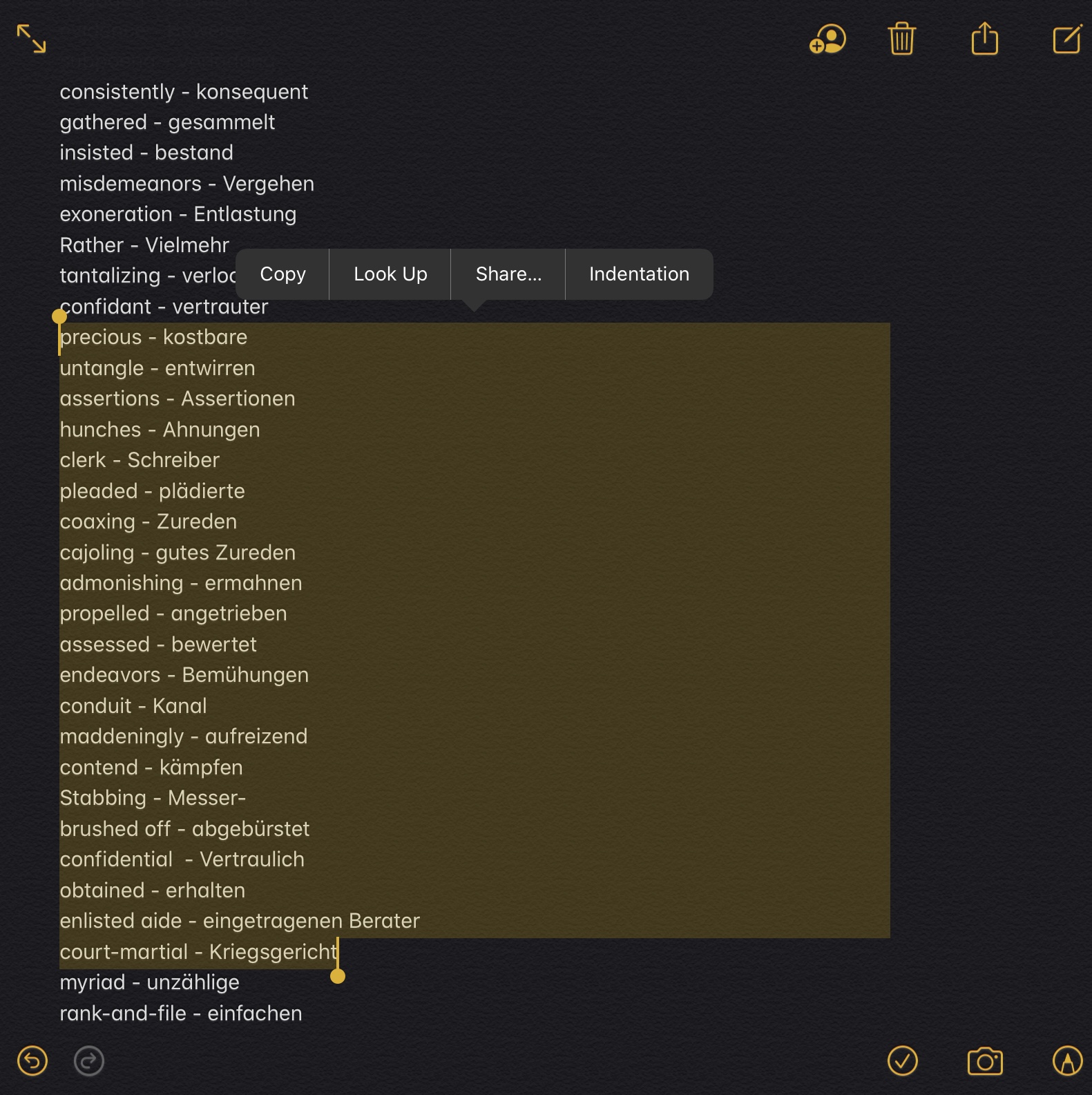
- Multilingual Support: The tool automatically generates flashcards in the language of the provided text. It can also translate content into German if specified, making it a truly global solution for learners.
- Customizable Difficulty: Specify if you’d like easier or more difficult questions, and the tool will tailor the flashcards accordingly. This makes it ideal for learners of all levels.
- Anki-Compatible Formatting: Every flashcard is formatted precisely for Anki, with clear sections and empty lines for easy reading. Plus, you can seamlessly add more cards whenever needed.
If you’re a student, educator, or lifelong learner, the Anki Obsidian Card Creator is the perfect solution to simplify your workflow. You’ll save time and effort while building a highly effective learning system with Anki and Obsidian. Give it a try and see how much more productive your studies can become!
German Version:
Vorstellung des Anki Obsidian Card Creator: Ein mächtiges Tool für die Erstellung von Lernkarten
Wenn du Anki für das Lernen und Obsidian für deine Notizen verwendest, wirst du den Anki Obsidian Card Creatorlieben – ein Tool, das die Stärken beider Plattformen kombiniert und den Prozess der Lernkartenerstellung so einfach wie nie zuvor macht.
Der Anki Obsidian Card Creator wurde entwickelt, um das Erstellen von Lernkarten mühelos zu gestalten. Egal ob du mit großen Textmengen arbeitest, Informationen aus Bildern extrahierst oder mit einer thematischen Idee beginnst, dieses Tool automatisiert die Erstellung von Anki-kompatiblen Lernkarten. Es spart Zeit und Energie, sodass du dich mehr auf den Lernprozess konzentrieren kannst, anstatt auf das Formatieren der Karten.
Hier sind einige Funktionen, die den Anki Obsidian Card Creator besonders praktisch machen:
- Text- und Bildverarbeitung: Du kannst direkt Text eingeben, und das Tool erstellt automatisch Fragen und Antworten für dein Anki-Deck. Wenn du ein Bild mit wichtigen Informationen hast, nutzt das Tool optische Zeichenerkennung (OCR), um den Text zu extrahieren und Lernkarten daraus zu erstellen.
- Themenbasierte Lernkarten: Du weißt nicht, wo du anfangen sollst? Gib einfach ein Thema an, und das Tool recherchiert für dich. Es erstellt bis zu 25 Fragen zu dem Thema. Du kannst jederzeit mehr Lernkarten anfordern, wenn du dein Deck erweitern möchtest.
- Mehrsprachige Unterstützung: Das Tool generiert automatisch Lernkarten in der Sprache des angegebenen Textes. Auf Wunsch kann es den Inhalt auch ins Deutsche übersetzen – eine ideale Lösung für internationale Lernende.
- Anpassbare Schwierigkeitsstufen: Du kannst angeben, ob du leichte oder schwierige Fragen möchtest. Das Tool passt die Lernkarten entsprechend an, was es ideal für Lernende aller Niveaus macht.
- Anki-kompatible Formatierung: Jede Lernkarte wird genau so formatiert, wie es für Anki erforderlich ist, mit klaren Abschnitten und Leerzeilen für eine übersichtliche Darstellung. Du kannst auch problemlos neue Karten hinzufügen, wann immer du sie benötigst.
Ob als Schüler, Lehrer oder lebenslanger Lerner – der Anki Obsidian Card Creator ist die perfekte Lösung, um deinen Workflow zu vereinfachen. Du sparst Zeit und Aufwand, während du ein effektives Lernsystem mit Anki und Obsidian aufbaust. Probier es aus und erlebe, wie viel produktiver dein Lernen wird!




 amarok.live