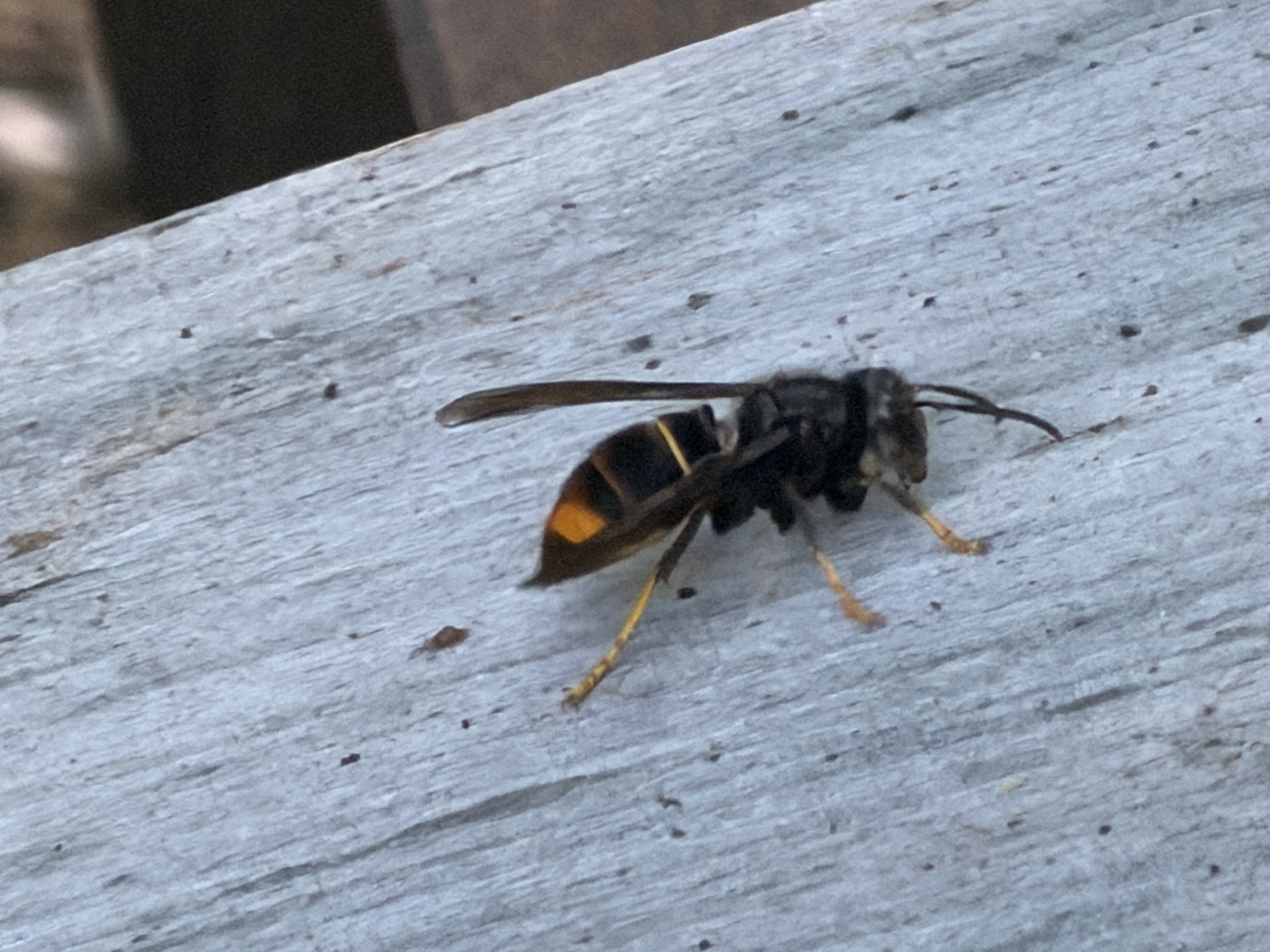
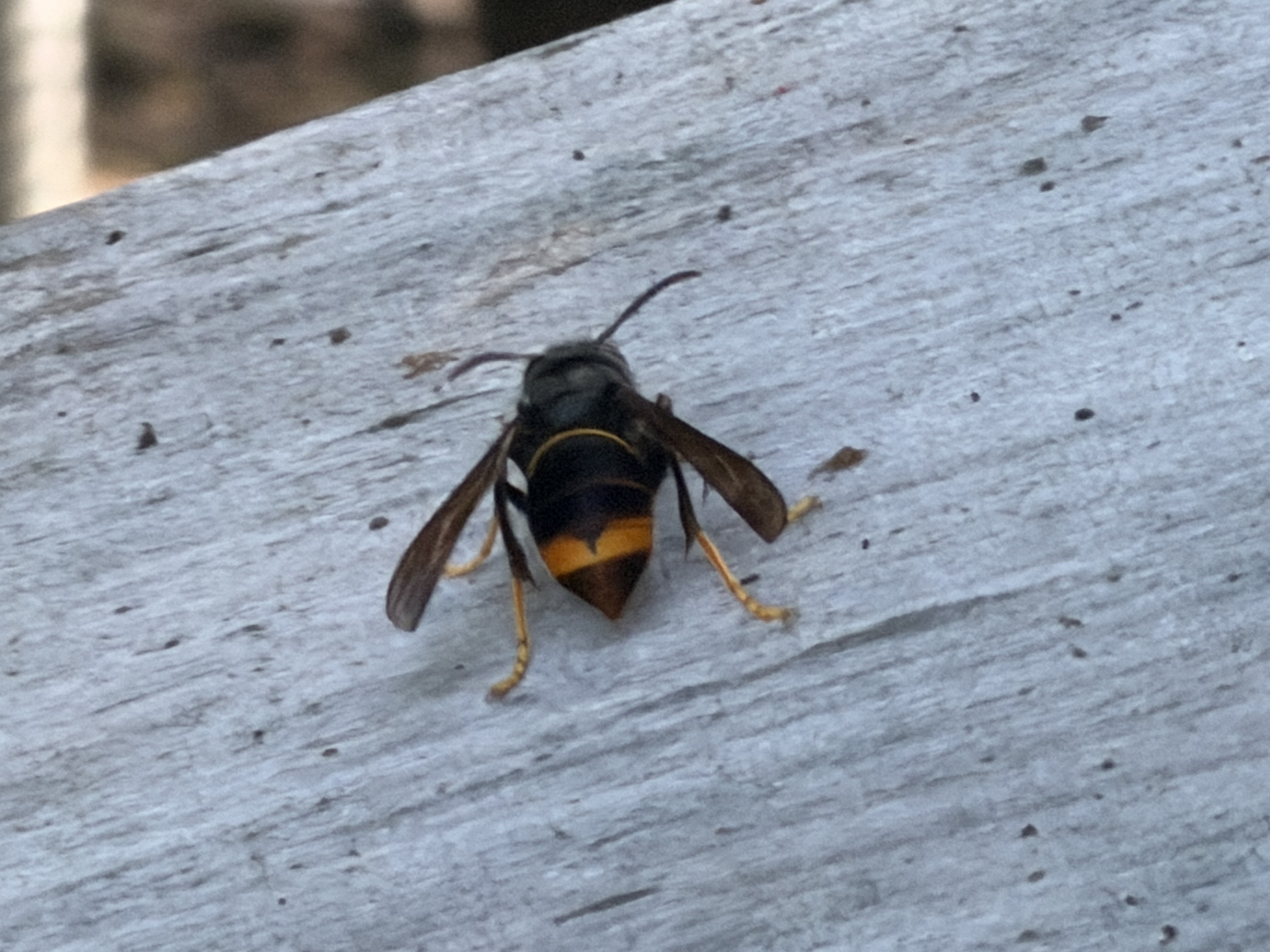
When the Hive Falls Silent: Vespa Velutina Strikes in a New Region
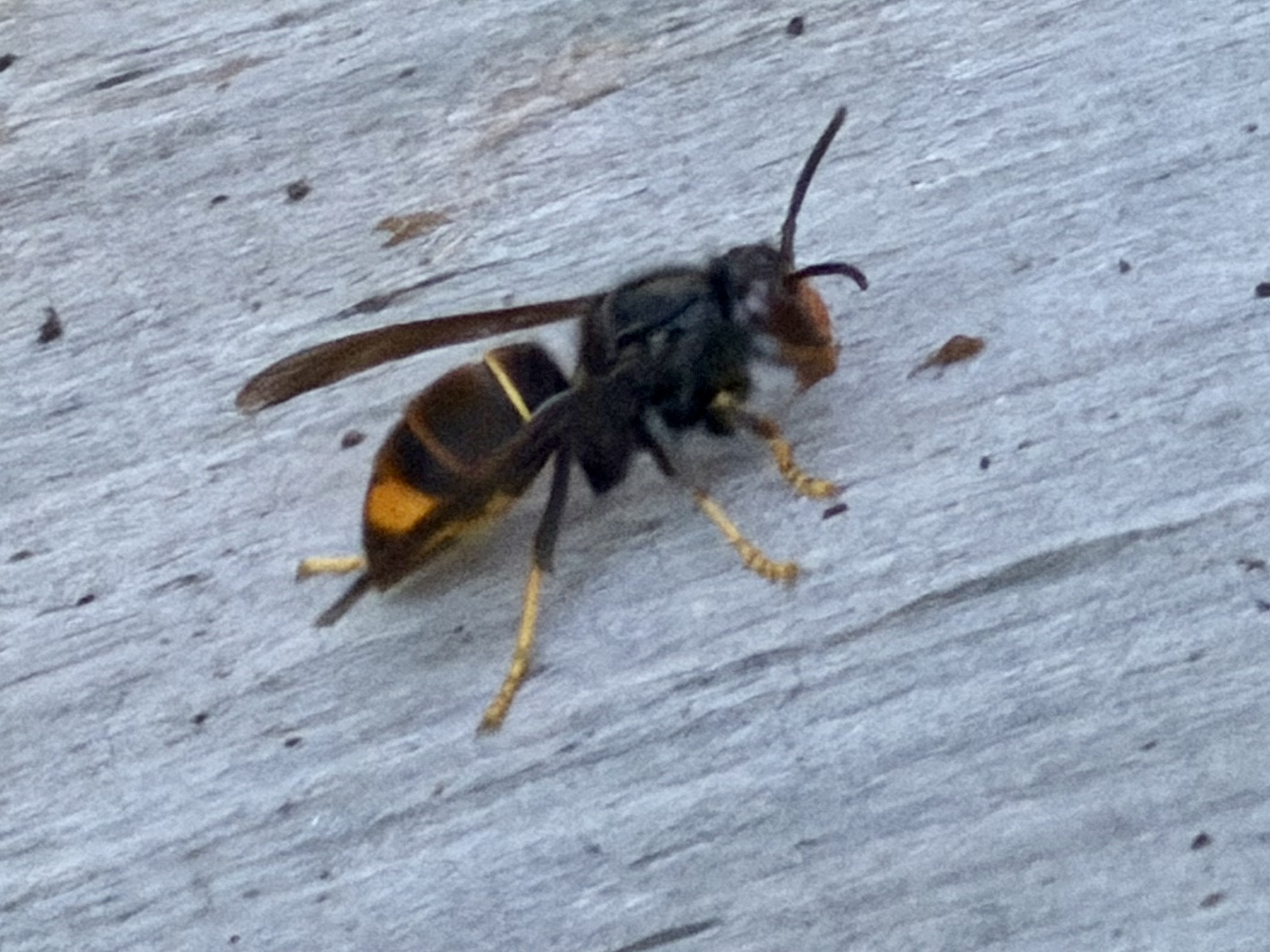
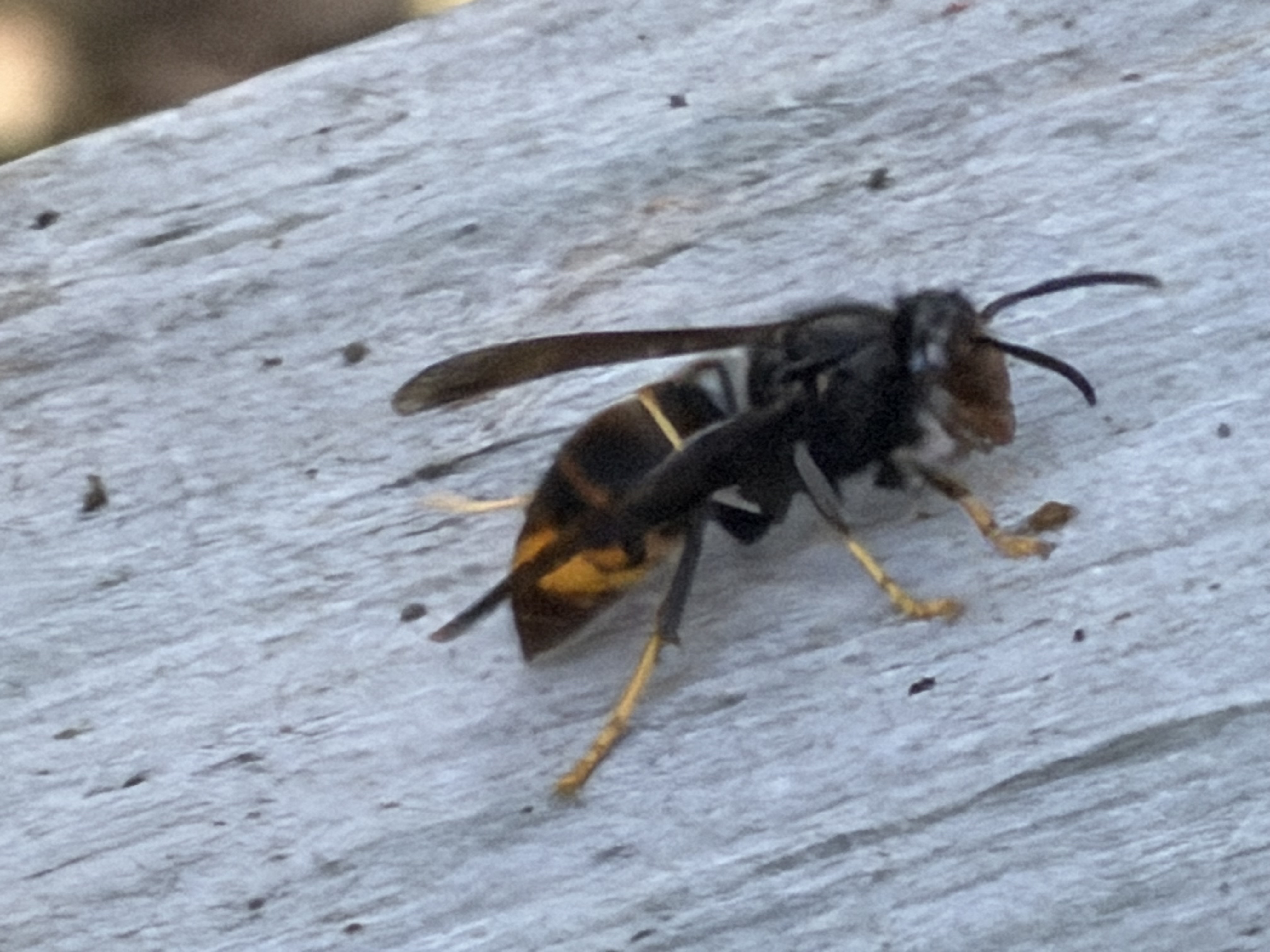
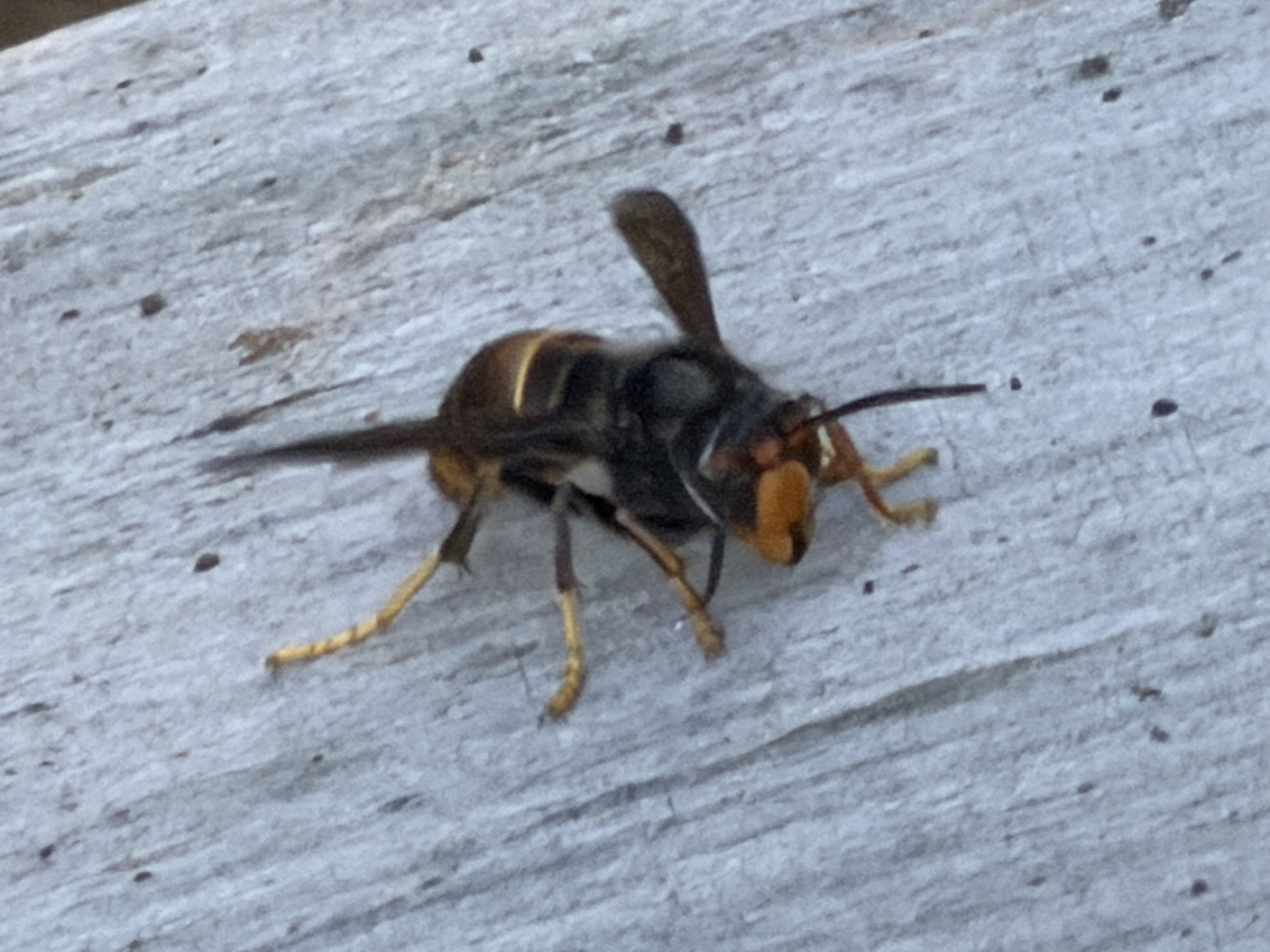
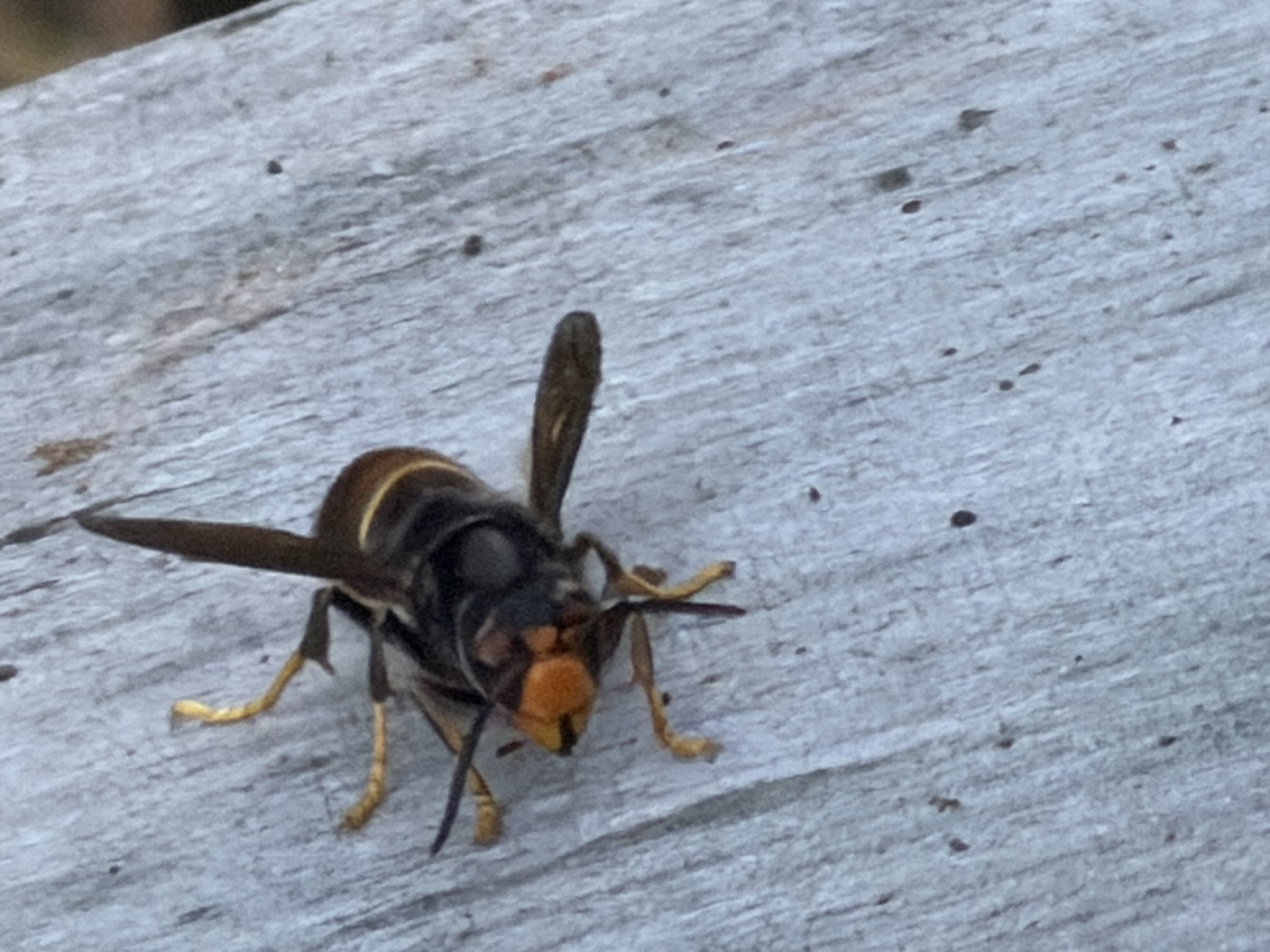
Today I share some somber news from my apiary. One of my bee colonies has fallen victim to the invasive Vespa Velutina, also known as the Asian hornet. This may very well be the first sighting of this aggressive predator in our area — a worrying development for beekeepers, biodiversity, and native ecosystems alike.
The Vespa Velutina, originally from Southeast Asia, has been spreading steadily across Europe in recent years. It’s notorious for hovering near beehives, picking off honey bees mid-air and decimating entire colonies in weeks. Its presence here could mark a turning point for local pollinators if early action isn’t taken.
I urge fellow beekeepers and nature enthusiasts in the region to stay alert. If you spot hornets with a dark brown body, yellow-tipped legs, and an orange face, report it immediately to your local environmental authority or use apps like iNaturalist or local wildlife monitoring services.
This encounter underscores just how important community awareness and vigilance are in slowing the spread of invasive species. Together, we can protect what’s left of our precious pollinators.
#vespavelutina #asianhornet #invasiveinsects #beekeeping #saveourbees #biodiversitycrisis #firstsighting #pollinatorprotection
Wenn der Bienenstock verstummt: Vespa Velutina schlägt in neuer Region zu
Heute muss ich eine traurige Nachricht aus meiner Imkerei teilen. Eines meiner Bienenvölker wurde von der invasiven Vespa Velutina, der Asiatischen Hornisse, ausgelöscht. Es könnte sich um die erste bestätigte Sichtung dieser gefährlichen Art in unserer Region handeln – ein alarmierendes Zeichen für Imker und Naturschützer gleichermaßen.
Die ursprünglich aus Südostasien stammende Vespa Velutina breitet sich seit Jahren in Europa aus. Sie ist bekannt dafür, vor Bienenstöcken zu lauern, Honigbienen im Flug zu greifen und ganze Völker innerhalb kürzester Zeit zu vernichten. Ihr Auftauchen hier könnte einen Wendepunkt für unsere lokalen Bestäuber bedeuten, wenn nicht frühzeitig reagiert wird.
Ich rufe alle Imkerinnen, Imker und Naturfreunde in der Umgebung auf, wachsam zu sein. Wer Hornissen mit dunkelbraunem Körper, gelblichen Beinenden und orangefarbenem Gesicht entdeckt, sollte dies umgehend den zuständigen Umweltbehörden melden – oder mithilfe von Apps wie iNaturalist dokumentieren.
Diese Begegnung zeigt, wie wichtig gemeinsames Handeln und Aufmerksamkeit im Kampf gegen invasive Arten sind. Nur gemeinsam können wir unsere wertvollen Bestäuber schützen.
#vespavelutina #asiatischehornisse #invasivearten #imkerei #bienenretten #biodiversität #ersteSichtung #bestäuberschutz
Quand la ruche se tait : Vespa Velutina frappe dans une nouvelle région
Aujourd’hui, c’est avec tristesse que je partage une nouvelle de mon rucher. L’un de mes essaims a été décimé par la redoutable Vespa Velutina, aussi connue sous le nom de frelon asiatique. Il pourrait bien s’agir de la première observation confirmée de cette espèce invasive dans notre région — un signal d’alerte pour les apiculteurs et défenseurs de la biodiversité.
Originaire d’Asie du Sud-Est, la Vespa Velutina se propage à travers l’Europe depuis plusieurs années. Elle est tristement célèbre pour sa stratégie de chasse : elle attend devant les ruches, attrape les abeilles en plein vol et peut anéantir une colonie en quelques semaines. Sa présence ici pourrait avoir de graves conséquences pour les pollinisateurs locaux si rien n’est fait rapidement.
J’invite tous les apiculteurs et amoureux de la nature à rester vigilants. Si vous apercevez un frelon au corps brun foncé, aux pattes jaunes à l’extrémité et au visage orangé, signalez-le immédiatement aux autorités compétentes ou via des applications comme iNaturalist.
Cet incident nous rappelle combien la vigilance collective est cruciale face aux espèces envahissantes. Ensemble, nous pouvons agir pour préserver nos précieux pollinisateurs.
#vespavelutina #frelonasieatique #insectesenvahissants #apiculture #sauverlesabeilles #biodiversité #premièreobservation #protectiondespollinisateurs